How to Validate a Phone Number in Java: 2026 Guide
Phone Number Validation in Java: What This Guide Covers
Phone number validation in Java needs more than a regex when bad contact data can waste outreach effort, corrupt reporting, or cause messages to reach a reassigned line. In 2025, Adverity found that CMOs estimated 45% of the marketing data used for decisions was incomplete, inaccurate, or outdated (Adverity, Fixing the Foundation: The State of Marketing Data Quality in 2025).
Source: Adverity, Fixing the Foundation: The State of Marketing Data Quality in 2025.
This guide shows how to validate phone number in Java at four different levels: basic structure, regional numbering rules, line type, and active or disconnected status. It also covers the less glamorous part that usually causes production failures: reading a large Excel file, checking numbers safely, and writing results without disturbing names, addresses, formulas, styles, or column order.
I learned that distinction after a Java regex accepted a number that looked perfect but had already been disconnected. The code was not wrong. The validation policy was incomplete because it answered “Does this string match?” instead of “Can this line still be used?”
Key Takeaways
The safe approach is to match the validation method to the claim you need to make. In 2025, Validity found that 37% of CRM users reported lost revenue because of poor data quality (Validity, The State of CRM Data Management in 2025).
Source: Adverity, Fixing the Foundation (2025); Validity, The State of CRM Data Management (2025).
Regex checks a controlled format, not whether a number exists or accepts communication.
libphonenumber checks numbering-plan rules, including regional possibility, validity, formatting, and known line type.
A live data provider checks current status, but results may still be reachable, unreachable, inactive, or unknown.
Spreadsheet validation should be additive, keeping the source value and writing outcomes into separate columns.
Deduplicate before paid lookups, then reuse one result for every matching normalized number.
Before You Begin: Tools, Access, and Time
You need a supported Java release, a build tool, libphonenumber, Apache POI, and optional credentials for a live phone-data provider. In 2026, Oracle’s support roadmap lists LTS support through 2029 for JDK 17, 2031 for JDK 21, and 2033 for JDK 25 (Oracle Java Release Support Timeline).
Source: Oracle Java Release Support Timeline, 2026.
Tools and versions
Use a Java LTS release that your deployment environment supports rather than selecting a version only because it is newest. JDK 17, 21, or 25 can all run the examples with ordinary project configuration.
Use Maven or Gradle to manage dependencies. The core libraries are:
Google libphonenumber for parsing, regional rules, number types, and standard output formatting.
Apache POI for reading and writing .xlsx workbooks without reducing the file to comma-separated text.
Regex and libphonenumber run locally and require no account. Active-line checking normally requires a provider account, an API key or token, an enabled lookup product, and permission to process the phone data involved.
Store credentials in environment variables or a secret manager. Do not place them directly in Java source, commit them to Git, or write them into validation output.
Time and difficulty
A single-field format check is a small Java task. International parsing adds dependency setup and test cases. Excel processing requires more care because cell types, formulas, duplicate records, failed requests, and interrupted runs all affect the result.
Start with a copied workbook and a small representative sample. Expand to the full file only after the sample preserves every non-phone field correctly.
Step 1: Decide What Valid Means for Your Project
A phone number is valid only relative to the exact question your project needs answered. In 2026, Google’s libphonenumber documentation distinguishes a possible number based mainly on length from a valid number that also matches known numbering prefixes (Google libphonenumber official repository).
Format validity
Format validity asks whether the input follows a pattern you control. A registration form might require a leading plus sign and a sequence of digits. An internal New Zealand import might accept spaces and a national prefix before normalization.
A format match does not prove that the country code exists, the prefix has been assigned, or the line is connected. Treat the result as FORMAT_ACCEPTED, not simply VALID.
Regional possibility
Regional possibility asks whether the number length and broad structure could belong to a specified country or territory. This requires a region when the input is written in national form.
A parser should not silently guess the region from the server location. Pass a default region only when the dataset has a documented regional scope, and record that assumption alongside the result.
Line type and carrier data
Line-type classification attempts to identify categories such as mobile, fixed line, toll-free, or voice-over-IP. Carrier information may describe the original allocation rather than the subscriber’s current provider because numbers can be ported.
Use these fields for routing or review, not as unquestionable proof of current ownership.
Active or disconnected status
Active-status validation asks whether current network or carrier data indicates that the line is active, inactive, reachable, unreachable, or uncertain. That answer cannot be derived from punctuation, length, or numbering metadata alone.
A practical output policy might use separate columns such as format_status, region_status, line_type, activity_status, checked_at, and review_reason. Separate fields prevent one uncertain signal from erasing otherwise useful information.
Step 2: Clean and Normalize Each Phone Number
Normalize each number into a consistent comparison value while preserving the raw spreadsheet value unchanged. In 2026, the ITU’s E.164 recommendation limits an international geographic telephone number to 15 digits (International Telecommunication Union, Recommendation ITU-T E.164).
Read the source phone field into a raw string before making any change. Store that value in memory or leave the original cell untouched.
This matters because leading zeros may disappear when spreadsheet software stores a phone number as a numeric cell. A displayed value can also differ from the underlying value when a custom cell format is applied.
Remove safe formatting characters
Trim surrounding whitespace and remove separators that carry no dialing meaning in your defined input policy, such as spaces, parentheses, or hyphens. Do not delete every non-digit character blindly: a leading plus sign identifies international form, while extension markers need separate handling.
A small normalization object is easier to audit than a chain of string replacements:
java
public record NormalizedPhone(
String rawValue,
String mainNumber,
String extension,
String assumedRegion
) {}
Handle country codes and extensions
Split an extension before parsing the main number. Recognize only the extension forms your data actually contains, such as ext, extension, or x, and keep the extracted value in its own field.
For national-form numbers, supply a default region only when the file source justifies it. For internationally formatted input, keep the leading plus sign and let the parser derive the region.
Verify the normalized result
Check that the normalized main value is not blank, contains no unhandled letters, and remains within the storage rule you selected. Then compare it with known samples from the source system.
Normalization should be repeatable: running the same input twice must produce the same main number, extension, and assumed region. It should also be non-destructive: the output workbook still needs the exact original value for review.
Step 3: Validate a Phone Number in Java with Regex
Regex is appropriate only when you need to enforce a deliberately narrow string format. In 2026, the ITU’s E.164 recommendation retains a maximum international geographic number length of 15 digits, which provides a defensible upper boundary for an international-form rule (International Telecommunication Union, Recommendation ITU-T E.164).
Create a narrow validation rule
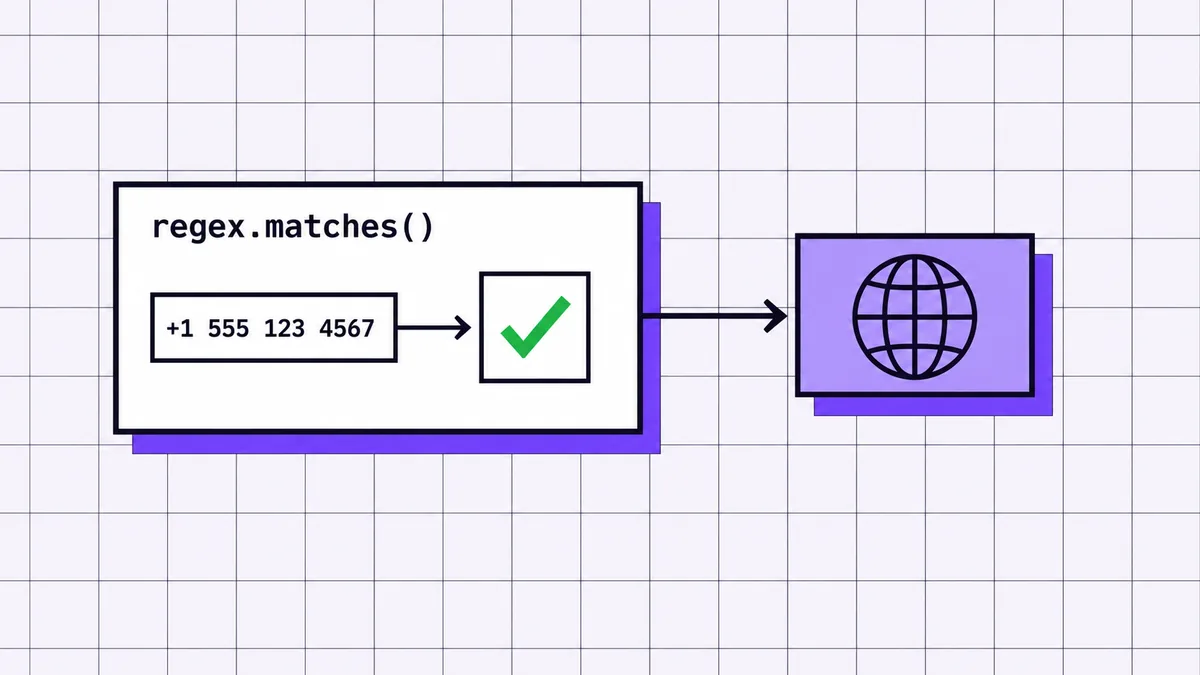
The following expression accepts a plus sign, a non-zero first digit, and a bounded sequence of remaining digits:
text
^+[1-9]\d{1,14}$
The caret anchors the match to the start of the input. The escaped plus sign requires international form. The final dollar sign anchors the match to the end, preventing extra text from being accepted after the number.
This rule is intentionally strict. It does not accept spaces, extensions, or national-form input because those values should be normalized before this check.
Run the Java pattern check
Java’s Pattern API compiles the expression once so it can be reused across rows:
java
import java.util.regex.Pattern;
public final class PhoneRegexValidator {
private static final Pattern E164_SHAPE =
Pattern.compile("^\+[1-9]\d{1,14}$");
private PhoneRegexValidator() {}

public static boolean hasAcceptedShape(String value) {
    return value != null && E164_SHAPE.matcher(value).matches();
}
}
Compile reusable expressions as constants rather than rebuilding them for each spreadsheet cell. For a large file, repeated compilation adds work without improving the result.
Test accepted and rejected inputs
Tests should include a normalized international value, a value with spaces, a national-form value, a blank string, an alphabetic character, an extension, and an overlong sequence.
These tests verify the contract of your regex, not global telephone validity. A rejected value may become acceptable after normalization, while an accepted value may still be unassigned or disconnected.
Know what regex cannot confirm
Regex cannot confirm whether a country uses the prefix, whether the local length is valid, whether the line is mobile, or whether the subscriber can receive communication. It sees characters, not numbering-plan metadata or network state.
Use it as an early filter that catches obvious input corruption. Do not label a regex match as ACTIVE, REACHABLE, or even region-valid unless another validation layer supports that claim.
Step 4: Validate International Numbers with libphonenumber
libphonenumber is the right tool when validity depends on a country’s numbering plan rather than one fixed string pattern. In 2026, Google released libphonenumber 9.0.34 and documented that possibility checks focus on length while validity checks also evaluate prefixes (Google libphonenumber official repository).
xml
com.googlecode.libphonenumber
libphonenumber
9.0.34
Gradle users can add the same group, artifact, and version through the project’s dependency block. Keep the version explicit so builds remain repeatable.
Parse the number and region
Parsing converts text into a structured PhoneNumber object. Pass a region code when the input is national rather than international:
PhoneNumber parsed;
try {
parsed = util.parse("021 123 4567", "NZ");
} catch (NumberParseException ex) {
throw new IllegalArgumentException("Number could not be parsed", ex);
}
For New Zealand phone number validation, "NZ" tells the library how to interpret the national prefix and expected numbering structure. International input beginning with a plus sign can normally be parsed without assuming a local dialing context.
Check possible and valid results
Call both checks because they answer different questions:
java
boolean possible = util.isPossibleNumber(parsed);
boolean valid = util.isValidNumber(parsed);
PhoneNumberUtil.PhoneNumberType type = util.getNumberType(parsed);
isPossibleNumberis a broad structural test.isValidNumberuses the library’s numbering metadata to check whether the length and prefix fit an assigned range.getNumberType` may identify a mobile, fixed-line, toll-free, or another supported classification.
Store the results separately. A number can be possible but not valid, and a valid number is not automatically active.
Custom Scripting & Automation
Phone Validation Services for Large Excel Lists
Hire CogWorkLabs for phone validation services that clean Excel lists, remove inactive numbers, preserve valid contacts, and keep every other column intact.
String international = util.format(
parsed,
PhoneNumberUtil.PhoneNumberFormat.INTERNATIONAL
);
Use E.164-style output as the deduplication and API-request key because cosmetic differences disappear. Keep the international display form only for reports or user-facing output.
Verify the parser against known national-form, international-form, invalid-prefix, extension, and blank examples from your own dataset. Library metadata changes over time, so pin the dependency, record the version used, and rerun the tests during upgrades.
Step 5: Check Whether the Phone Line Is Active
An active-line check requires current carrier or network-derived data rather than Java string processing alone. In 2026, Twilio’s Line Status documentation defines five outcomes: active, inactive, reachable, unreachable, and unknown (Twilio Lookup Line Status Documentation).
Choose the right validation method
Method
Best use
Can check regional rules?
Can indicate active status?
Main limitation
Regex
Enforcing one controlled input shape
No
No
Accepts structurally matching fiction
libphonenumber
Parsing, formatting, possibility, validity, and line type
Yes
No
Uses numbering metadata, not live network state
Live phone-data API
Current line-status or reachability signals
Usually
Yes, with uncertainty
Costs money and can return unknown results
Choose the least complex layer that can support your decision. A signup form may need parsing and format feedback. A campaign suppression process may need inactive or unreachable status as well.
Send the validation request
Normalize and deduplicate before making requests. Send only the phone number and fields required by the provider, not the rest of the spreadsheet row.
A Java HTTP client should set an authorization header, request timeout, and response-body handler. Keep provider-specific response models separate from your internal result model so changing vendors does not force changes throughout the workbook code.
java
public record LineCheckResult(
String normalizedNumber,
String status,
String lineType,
String carrier,
String providerRequestId,
String checkedAt,
String errorCode
) {}
Read the returned status
Map provider values into a documented internal policy. For example:
ACTIVE or REACHABLE: retain for the intended workflow, subject to consent and business rules.
INACTIVE or UNREACHABLE: suppress, flag, or route for review according to the project policy.
UNKNOWN: keep the record and mark it for retry or manual review.
REQUEST_FAILED: record the technical failure separately from the phone result.
Do not collapse UNKNOWN and REQUEST_FAILED into INVALID. One describes limited evidence about the line; the other describes an unsuccessful lookup.
Handle unknown and uncertain results
Retry temporary transport errors and throttling responses, but cap attempts and record the final reason. Never retry a permanent authentication or malformed-request error indefinitely.
Cost also affects architecture. In 2026, Twilio listed Line Status pricing from $0.007 per request in its lowest published volume tier down to $0.00385 above its highest listed tier (Twilio Lookup API Pricing).
Source: Twilio Lookup API Pricing.
Deduplication therefore affects both request volume and spend. Cache results by normalized number with a timestamp, but define how old a result may become before rechecking because line ownership and status can change.
Step 6: Scrub the Excel List Without Changing Other Data
The safe Excel workflow edits a copied workbook in place, adds validation fields, and saves a separate output file. In 2026, Twilio states that requests returning HTTP 429 were not processed and may be retried after backing off (Twilio Error 20429 Documentation).
Open the copied .xlsx file with Apache POI’s workbook APIs. Do not export it to CSV unless losing formulas, multiple sheets, styles, and typed cells is explicitly acceptable.
Use DataFormatter when you need the displayed cell value, but retain access to the original cell and type. Phone values stored as numbers require special care because leading zeros may already have been lost before your program reads them.
Find and protect the phone column
Locate the phone column by a normalized header name rather than assuming a fixed position. Reject ambiguous workbooks containing multiple matching headers until a human chooses the intended field.
Record the original header indexes and create new columns only after the existing last column. Useful additions include:
phone_original
phone_normalized
format_status
regional_status
line_type
activity_status
validation_reason
checked_at
Do not replace the original phone cell. Keeping both versions makes disagreements reviewable.
Validate unique numbers in batches
Build a map from normalized number to every row containing it. Validate each unique key once, then write the result back to all matching rows.
Process requests with bounded concurrency rather than creating one thread per row. Add a checkpoint file containing completed keys, provider request identifiers, timestamps, and errors. After interruption, reload the checkpoint and continue without paying for completed lookups again.
For rate limits, use exponential backoff with jitter: increase the delay after each temporary failure and add a small random variation so parallel workers do not retry together. Respect any provider-supplied retry guidance.
Write statuses without changing other columns
Update only the new validation cells or the explicitly approved phone output field. Do not recreate entire rows from string arrays; doing so can convert dates, formulas, booleans, and formatted numeric values into plain text.
The Apache POI Sheet API documents worksheets containing text, numbers, dates, formulas, and formatting. In 2026, those five content categories form a practical preservation checklist for a scrubbed workbook.
If policy requires removing rejected rows, write a status-first file before deletion. Then create a second filtered file from a copied workbook. Deleting rows during the validation pass makes row indexes unstable and makes mistakes harder to reverse.
Save and verify a separate output file
Write to a temporary path, close the workbook, reopen the generated file, and run integrity checks before renaming it as the final output. Confirm that every original sheet remains present, headers retain their order, formulas still exist, and non-phone values match the source.
Also reconcile counts:
text
source rows
= processed rows
intentionally skipped blank rows
rows with recorded technical failures
Do not report completion while records are silently missing. A completed run should explain every source row, even when the explanation is BLANK, UNKNOWN, or RETRY_EXHAUSTED.
Common Phone Validation Mistakes to Avoid
Most phone-validation failures come from making a stronger claim than the evidence supports or modifying the source before the result is verified. In 2018, the FCC estimated that approximately 35 million US telephone numbers were disconnected and made available for reassignment each year (Federal Communications Commission, Advanced Methods to Target and Eliminate Unlawful Robocalls).
Using one regex for every country
One global regex either becomes too strict for legitimate national differences or so loose that it accepts almost anything. Use regex for a documented input contract, then use regional metadata for country-specific validation.
The fix is not a larger expression. The fix is separating normalization, regional parsing, and status checking into distinct decisions.
Treating a valid format as an active line
A well-formed number can be unassigned, disconnected, unreachable, or recently reassigned. Regex and libphonenumber cannot observe current line state.
Label each layer precisely. FORMAT_ACCEPTED, REGION_VALID, and ACTIVE should never be interchangeable statuses.
Deleting uncertain records immediately
API timeouts, unknown responses, and throttling errors do not prove a phone number is bad. Deleting those rows turns a temporary technical issue into permanent data loss.
I have seen this happen when a batch process treated every non-success response as rejection. The safer pattern is to write the result first, preserve the row, retry eligible failures, and filter only after reviewing the status distribution.
Overwriting the original spreadsheet
Saving directly over the source removes the easiest recovery path. A workbook can open normally while formulas, styles, or cell types have still changed.
Always read from a copied input and write to a new output path. Reopen the output and compare it with the source before any filtered file replaces an operational list.
Ignoring API limits and privacy
Unbounded parallel requests cause throttling, duplicate costs, and incomplete runs. Sending entire spreadsheet rows to a phone lookup provider also exposes data the service does not need.
The UK Information Commissioner’s Office advises organizations to hold no more personal data than the purpose requires (ICO, Data Minimisation Guidance). Send the minimum required phone field, restrict logs, mask values where practical, and define retention for cached results and checkpoint files.
What a Successful Validation Run Looks Like
A successful run preserves the workbook, explains every row, and produces validation outcomes that can be independently reviewed. In 2026, Apache POI’s worksheet model identifies five integrity targets relevant here: text, numbers, dates, formulas, and formatting (Apache POI Sheet API Documentation).
File integrity checks
Compare the source and output workbook before reviewing phone outcomes. Confirm that sheet names, sheet order, row order, original headers, merged regions, and non-phone cells remain unchanged.
For formulas, compare the formula expression rather than only the displayed cached result. For dates and formatted numbers, compare the cell type and style as well as the visible text.
Validation accuracy checks
Create a manual review set containing examples of every expected category: blank, malformed, nationally formatted, internationally formatted, possible, valid, inactive, unknown, duplicate, and provider failure.
Review both obvious and borderline records. A useful test asks whether the status and reason together explain the decision without requiring a developer to inspect logs.
Processing and cost checks
The final report should state source-row count, rows processed, blanks skipped, unique normalized numbers, duplicates reused, format failures, region-invalid results, inactive results, unknown results, request failures, retries, and completed lookups.
Reconcile provider usage with your unique-request count. A mismatch can reveal accidental duplicate submissions, retries that were counted incorrectly, or requests that never reached the provider.
A useful stretch goal
Make the process repeatable from configuration rather than editing code for every workbook. Region assumptions, phone-header names, output columns, retry limits, and classification policy should live in a versioned configuration file.
A scheduled run is useful only after it is idempotent: processing the same input again should not duplicate columns, repeat completed paid checks unnecessarily, or change previously preserved source fields.
Phone Number Validation in Java FAQs
Java phone-number validation works best as layered checks for shape, regional validity, and current line status. In 2026, libphonenumber 9.0.34 distinguishes length-based possibility checks from prefix-aware validity checks (Google libphonenumber official repository).
How to check phone number validity?
Phone number validity should be checked at the level required by the business decision. Use regex to enforce a controlled input shape, libphonenumber to parse the region and test numbering-plan validity, and a current phone-data provider when inactive or unreachable lines must be identified.
Keep the results separate because a number can pass format and regional checks while still being disconnected. Unknown API outcomes should be reviewed or retried rather than automatically classified as invalid.
How to validate a phone number in Java?
A phone number can be validated in Java by normalizing the input, parsing it with libphonenumber, and calling isPossibleNumber and isValidNumber. Regex is useful before parsing when your application accepts one narrow input format.
For production use, preserve the original value, record the assumed region, and store each validation result in a separate field. Add a live lookup only when the application must determine current activity or reachability.
How to validate a phone number with extension?
A phone number with an extension should be split into a main number and an extension before the main number is normalized and validated. Store the extension separately so it does not cause an otherwise valid main number to fail a strict international-format regex.
libphonenumber can parse supported extension notation, but explicit extraction is often easier to audit in spreadsheet workflows. Validate the main number regionally, preserve the original string, and write the extension into its own output column.
How to validate phone number in Java NetBeans?
Phone number validation in Java NetBeans uses the same Java code and libraries as any other Java development environment. Create a Maven or Gradle project, add libphonenumber as a dependency, and run the parser and validation methods from an ordinary Java class.
NetBeans does not provide a different phone-validation engine. Its role is editing, dependency management, running tests, and debugging the same regex, libphonenumber, API, and Apache POI code used elsewhere.
Build a Validation Process You Can Trust
A trustworthy process layers normalization, narrow format checks, regional rules, current-status checks where justified, and workbook-preservation tests. In 2025, Validity found that 37% of CRM users reported direct revenue loss from poor data quality, which makes explainable results more valuable than a single unsupported valid-or-invalid flag (Validity, The State of CRM Data Management in 2025).
Keep the source intact, classify uncertain outcomes honestly, and verify every generated workbook before using it. For a reusable implementation that checks Excel lists for inactive numbers while preserving every other column, see CogWorkLabs’ phone number validation.
Awais Shahid is an Automation Consultant and Solutions Advisor at CogWorkLabs. He runs discovery, maps client processes, and turns them into scoped, build-ready plans for custom scripting and automation — staying the single point of contact through sign-off.
 Awais Shahid


 Awais AhmadJul 14, 2026

 Zegham Ali