7 Best WhatsApp AI Chatbots for Business Teams (2026)
Why the Best WhatsApp AI Chatbot Depends on the Job
The best WhatsApp AI chatbot is the one that handles your actual support or sales path without losing context, trapping customers in loops, or hiding the real monthly cost. In 2025, Meta reported that WhatsApp had more than 3 billion users across more than 180 countries, making it a mainstream business channel rather than a niche messaging option (Meta, Introducing Message Translations on WhatsApp).
That scale does not make every chatbot platform equally suitable. A marketing team may need opt-in campaigns and lead qualification. A support team may need document-grounded answers, agent assignment, and a complete conversation transcript. A multisite business may also need voicemail transcription, a public phone number, website click-to-chat, and consistent contact details across Google and Meta.
In 2026, Zendesk found that 88% of customers expected faster support responses than they had one year earlier (Zendesk, CX Trends 2026). Speed matters, but a fast unsupported answer can create more work than a delayed human reply.
Source: Zendesk CX Trends 2026.
What a WhatsApp AI chatbot actually does
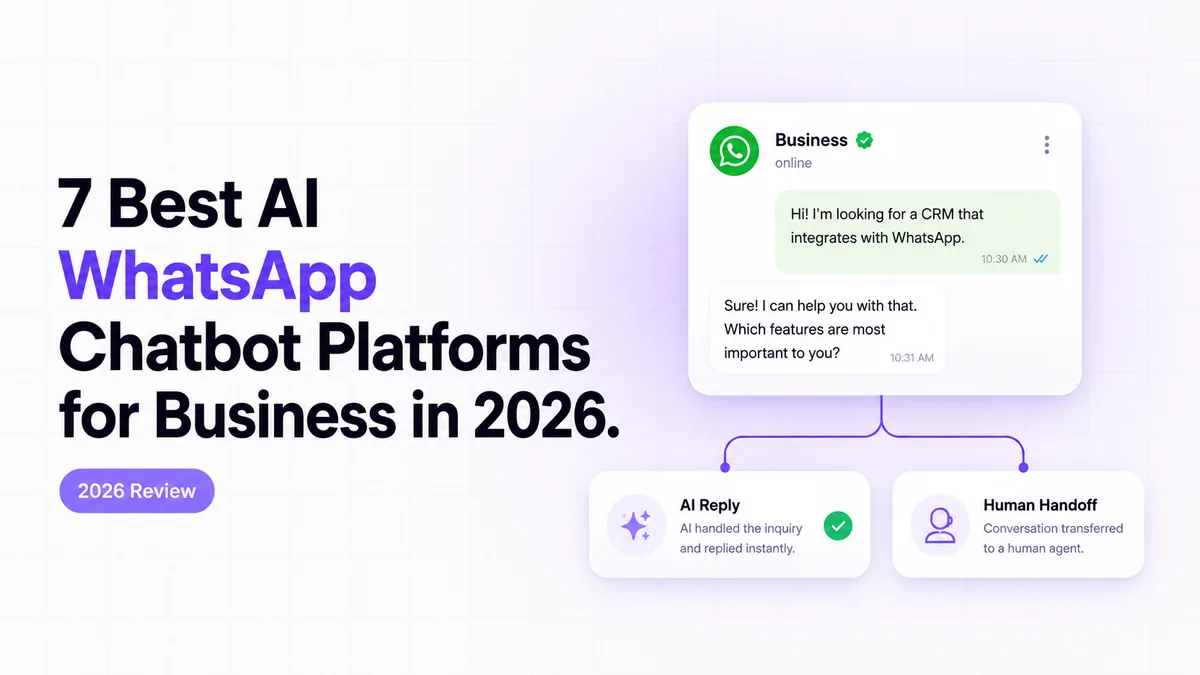
A WhatsApp AI chatbot receives a message through an approved WhatsApp connection, identifies the request, retrieves relevant business information, produces or selects a response, and routes uncertain cases to a person. In systems we have built around Twilio, the difficult work is rarely the first automated reply. The harder parts are number onboarding, webhook reliability, document freshness, conversation ownership, and handing the thread to a human without making the customer repeat everything.
Key Takeaways
The strongest choice depends on whether you need a managed business system, a self-serve builder, a marketing platform, or a multichannel support inbox.
CogWorkLabs is the top managed option for a Twilio-based RAG chatbot connected to human escalation, voicemail, and website entry points.
Botpress is the strongest flexible builder for teams that want visual workflows without giving up custom logic.
WATI is the clearest WhatsApp-first no-code choice for shared inboxes, templates, broadcasts, and operational flows.
ManyChat fits marketing journeys better than deep support knowledge.
In 2026, Zendesk reported that 88% of customers expected faster replies, so response speed must improve without weakening human takeover (Zendesk, CX Trends 2026).
1. Best AI Chatbot for WhatsApp - Best for a Managed Twilio RAG Setup
CogWorkLabs ranks first when the requirement is a managed WhatsApp system rather than another software subscription that your team must assemble and maintain. The build uses the official Twilio API for WhatsApp to receive messages, pass them through a document-grounded answer layer, and escalate conversations that require judgment or account access.
Why it ranks first for this use case
The main advantage is that the chatbot is designed as part of the business communication stack. Incoming WhatsApp messages can trigger FAQ retrieval, collect structured details, preserve conversation history, and create a human-response task when the answer is uncertain.
Retrieval-augmented generation, or RAG, means the model receives relevant passages from approved documents before writing an answer. This gives the bot a controlled information source instead of asking it to rely only on general model knowledge.
The same implementation can include a website click-to-chat entry point, voicemail recording and transcription, and handoff documentation that explains the webhook path, credentials, routing rules, and failure recovery.
Best fit, limits, and ownership disclosure
CogWorkLabs owns and provides this managed service, so its first-place position should be read in that context. It is the best fit for teams that need a configured Twilio sender, custom knowledge rules, human escalation, voicemail processing, and a documented handover.
It is less suitable for a solo operator who wants to create a basic menu bot in an afternoon. A self-serve product such as WATI, ManyChat, or Botpress will usually be easier for that narrower job.
Pricing model and ongoing costs to verify
Pricing is based on scope rather than a fixed public software tier. Buyers should separate implementation cost from Twilio messaging charges, Meta template-message charges, AI usage, phone-number rental, transcription, monitoring, and later document updates.
The practical question is not merely what the chatbot costs to launch. It is who will maintain the knowledge source, inspect failed handoffs, update templates, and respond when Meta, Twilio, or the underlying model changes.
2. Botpress - Best for Flexible AI Workflows
Botpress is the strongest self-serve option for teams that want a visual builder while retaining access to custom logic, APIs, knowledge sources, and event-driven workflows. Its official documentation covers visual flow construction, integrations, knowledge retrieval, variables, and code-based extensions.
Where Botpress is strongest
Botpress works well when the conversation needs more than a fixed decision tree. A workflow can collect customer details, call an external API, query a knowledge source, check a condition, and route the thread differently based on the result.
Developers can add custom actions where the visual builder is not enough. That makes it useful for teams that want operations staff to understand the broad flow while engineers handle authentication, payload mapping, error recovery, and backend calls.
Human handoff is available on paid plans, but it still needs deliberate design. The workflow must decide when automation stops, what transcript reaches the agent, and whether later customer messages return to the bot or remain with the person.
Free-plan limits and production costs
Botpress may be the closest answer to a best free WhatsApp chatbot for experimentation, but a free builder account does not make the complete WhatsApp deployment free. In 2026, Botpress listed its Plus plan at $79 per month with annual billing, included human handoff, and charged model usage separately as AI Spend (Botpress, Pricing).
WhatsApp onboarding, Meta charges, production message volume, external databases, and agent seats can add costs outside the advertised builder tier. Test the expected conversation path with realistic message volume before treating the listed plan price as the monthly total.
Best fit and main tradeoff
Choose Botpress when you need a flexible assistant and have someone capable of owning integrations and testing. The tradeoff is operational responsibility: flexibility creates more places where authentication, state, retries, or handoff rules can fail.
WATI is the most practical WhatsApp-first choice for small and midsize teams that want a shared inbox, templates, broadcasts, agent assignment, and no-code workflows in one product. Its official help centre documents onboarding, automation, team access, template management, and account administration.
No-code setup and team inbox
WATI keeps the working model close to how customer-service teams already operate. A message arrives in a shared inbox, automation handles the predictable part, and a person can claim or receive the conversation when needed.
The no-code flow builder is suitable for lead intake, appointment questions, order-status collection, qualification, reminders, and FAQ branches. Among the best no-code WhatsApp chatbot builders in 2026, WATI stands out because WhatsApp operations are the core product rather than an added channel.
AI answers, handoff, and limits
WATI can reduce repetitive replies, but buyers should test how its AI features use business documents, how frequently sources refresh, and what happens when retrieval returns weak evidence. A convincing demonstration using a small FAQ set does not prove that the bot will reject stale, conflicting, or account-specific questions safely.
Handoff should also be tested as a full sequence. Confirm that the agent receives the original customer message, bot responses, collected fields, routing reason, and any relevant CRM record.
Pricing and hidden usage charges
The supplied evidence does not contain a verified current WATI plan price, so a precise starting figure would be misleading. Ask for the plan fee, agent limits, automation limits, Meta fee treatment, template charges, onboarding services, and any number-migration cost in the same quote.
WATI is a good fit when operational simplicity matters more than deep custom development. It becomes less attractive when the chatbot must coordinate several backend systems or apply complex business rules.
4. ManyChat - Best for Marketing and Lead Capture
ManyChat is the best option in this list for opt-in campaigns, lead capture, qualification, and connected journeys across social messaging channels. Its strength is moving a prospect from a campaign trigger into a structured conversation, not answering difficult support questions from a large document collection.
Lead capture and campaign strengths
ManyChat is built around triggers, audience segments, fields, tags, conditions, and follow-up messages. A team can collect a lead source, service interest, location, and preferred contact time before passing the record to sales.
It is particularly useful when Instagram engagement and WhatsApp follow-up belong to the same campaign. The visual builder makes branching sequences understandable to marketing staff, while live-chat functions provide a path for a person to join the conversation.
Where its AI support is limited
Marketing automation and RAG support solve different problems. A marketing flow succeeds when it moves the user through a known journey. A support bot must interpret less predictable language, retrieve current evidence, refuse unsupported requests, and preserve context during escalation.
ManyChat can add AI-assisted steps, but buyers should not assume that campaign features equal a controlled knowledge system. Test long-form policy questions, conflicting documents, stale information, and requests that require account access.
Best fit and pricing trigger
In 2026, ManyChat listed an annual plan with WhatsApp at $29 per month, including 2,500 active contacts across as many as three channels (ManyChat, Pricing). Contact growth is therefore a direct pricing trigger, even when message volume remains manageable.
Choose ManyChat when acquisition and follow-up are the main job. Choose a support-focused or custom platform when answer grounding, case ownership, and backend actions matter more than campaign design.
5. Chatbase - Best for Fast Knowledge-Base Answers
Chatbase is the quickest option for turning websites, PDFs, and business documents into a question-answering agent that can later be connected to customer channels. Its documentation focuses on data sources, agent instructions, actions, integrations, deployment, and usage controls.
Document training and update speed
Chatbase reduces the work required to create the first useful knowledge assistant. A team can add source material, define behavioural instructions, test responses, and publish an agent without building the retrieval pipeline from the ground up.
That makes it a strong candidate for the best no-code WhatsApp chatbot builder when the core job is document Q&A. The important operational question is how updates are handled. Product details, policies, schedules, and prices change, so the team needs a repeatable source-refresh process rather than a one-time upload.
WhatsApp connection and handoff
A WhatsApp connection should be tested beyond the successful first message. Confirm how the channel is authenticated, whether conversation history is preserved, where customer identity is stored, and how a support agent receives the thread.
Also verify whether the connection requires another provider or messaging layer. Every added service creates another billing account, credential set, webhook, and possible failure point.
Limits for complex workflows
In 2026, Chatbase listed its Hobby plan at $32 per month with annual billing and included 500 monthly message credits plus integrations (Chatbase, Pricing). Message credits can become the effective limit before the advertised feature list does.
Chatbase is best for fast knowledge deployment. It is less suitable when the conversation must coordinate many systems, maintain long-running workflow state, or enforce detailed routing rules across several departments.
6. Respond.io - Best for Multichannel Support Teams
Respond.io is the strongest choice for teams that need WhatsApp, social messaging, and other customer channels managed through one routing and ownership layer. Its help centre documents channel connections, workflows, team assignment, contact management, AI agents, integrations, and inbox controls.
Routing and shared-inbox strengths
Respond.io treats routing as a core operational problem. Messages can be assigned by team, language, customer attributes, business hours, previous ownership, or workflow conditions.
That matters when automation is only the first layer. A support operation still needs queue visibility, agent accountability, transfer rules, conversation status, and a clear record of who owns the next response. Respond.io is designed around that shared-inbox model.
AI agent and knowledge features
AI agents can answer questions, collect information, summarize conversations, and participate in workflow logic. Knowledge sources provide context, but they should still be tested for freshness, refusal behaviour, and unsupported answers.
The strongest implementation uses AI as one participant in the routing system rather than as the entire support system. When confidence is weak or an account-specific action is required, the conversation should move to a named person or queue with the relevant context attached.
When the platform is more than you need
In 2026, Respond.io reported that its Growth plan started at $199 per month, included 1,000 monthly active contacts, and provided AI agents and workflows while leaving Meta messaging fees separate (Respond.io, Best WhatsApp CRM and Pricing Guide).
That price can be justified for a multichannel team with routing and management requirements. It is harder to justify for a small business that needs one WhatsApp number, a short FAQ flow, and occasional human takeover.
Kommunicate is the strongest packaged option for support teams that want AI agents, web chat, WhatsApp, knowledge sources, analytics, and human takeover under one support-oriented product. Its official documentation covers bot integration, agent workflows, web deployment, channel connections, and conversation management.
Support automation strengths
Kommunicate is built around resolving common support questions while keeping people available for harder cases. That model suits product support, service enquiries, onboarding questions, and other environments where a knowledge agent should reduce repetitive work without removing the support queue.
AI Chatbot Development
Custom WhatsApp Chatbot Development for Canadian Customers
WhatsApp chatbot development for Twilio setup, FAQ answers, human escalation, voicemail transcription, and clear handoff documentation for Canadian teams.
The web widget is useful when the same knowledge and escalation logic must serve both website visitors and WhatsApp customers. Keeping those channels in one platform can simplify transcript review and agent training.
Knowledge control and human takeover
A support bot needs explicit fallback behaviour. When the knowledge source does not contain a defensible answer, the agent should ask for clarification, state that it cannot verify the request, or transfer the conversation.
Test whether the human receives the full transcript, customer details, bot confidence or fallback reason, and any fields collected during the automated exchange. Also check whether the bot resumes automatically after an agent reply or remains paused until the case closes.
Pricing and best-fit team
In 2026, Kommunicate listed its Starter plan at $34 per month with yearly billing, including one AI agent, one team member, WhatsApp access, and 250 monthly conversations (Kommunicate, Pricing).
That entry point is attractive for a small support operation, but additional team members, conversation growth, messaging-provider charges, and implementation work can change the total. Kommunicate fits teams that want support tooling quickly and do not need the deeper workflow flexibility of a custom build.
WhatsApp AI Chatbot Comparison Summary
The best WhatsApp chatbots differ most in operating model: managed build, flexible builder, WhatsApp-first inbox, marketing automation, document Q&A, multichannel routing, or packaged support. The table separates those jobs so a low advertised price does not outweigh a poor functional fit.
In 2026, the verified annual-billing entry prices ranged from ManyChat at $29 per month to Respond.io Growth at $199 per month, but those figures cover different contact allowances, AI features, and operating models (ManyChat, Chatbase, Kommunicate, Botpress, and Respond.io).
Source: Official pricing pages for Botpress, ManyChat, Chatbase, Respond.io, and Kommunicate, accessed 2026-07-15.
The clearest tradeoff is control versus convenience. A packaged platform gets a team live faster, while a managed or developer-oriented build gives more control over data sources, routing, integrations, failure handling, and ownership.
What a Complete WhatsApp Business Stack Should Include
A complete WhatsApp business stack should connect the public phone experience, the approved WhatsApp sender, the chatbot, the human queue, the website, and public business profiles without confusing customers about which number serves which purpose. Google’s documentation states that a Business Profile can display one primary phone number and as many as two additional mobile or landline numbers (Google Business Profile Help, Edit Your Business Information).
Public phone number and voicemail path
A public voice and SMS number can remain the number customers call from Google, your website, or printed material. Unanswered calls can be recorded, transcribed, and placed into a response queue with the caller number, timestamp, transcript, and recording reference.
This number does not have to be the same sender used for WhatsApp. Separating them can make the customer journey clearer, provided the website and business profiles label each contact path accurately.
WhatsApp number, chatbot, and human queue
The WhatsApp sender should use an official API connection with account ownership documented. Incoming messages reach a webhook, which is an HTTP endpoint that receives event data from another service. The application then verifies the request, identifies the customer, loads conversation state, retrieves relevant documents, and decides whether to answer or escalate.
An official API path is materially safer than a QR-based tool that controls a logged-in WhatsApp Web session. QR connections can create continuity, migration, and compliance risks if the session expires or the vendor controls the working account.
Website, Google, and Meta presentation
The website should offer a clear click-to-chat entry point, while Google Business Profile and Meta properties should present the correct public numbers and service expectations. Avoid presenting every number without explanation; customers should know which path is for calls, texts, WhatsApp messages, and urgent support.
A useful architecture document records the sender owner, webhook endpoint, routing rules, knowledge source, fallback queue, public contact locations, and the person responsible for each credential.
The safest way to judge RAG answers and human handoff is to run the same grounded questions, failure cases, and escalation tasks through every platform. A 2023 RAGTruth paper evaluated 2,973 source instances across six models and reported question-answering hallucination densities ranging from 0.06 to 0.62 spans per 100 response words, showing that unsupported output can be measured rather than judged by impression alone (RAGTruth research paper).
Source: RAGTruth research paper, 2023.
Use the same question set for every tool
Start with a fixed test pack drawn from the real knowledge base. Include direct FAQs, questions that require combining passages, ambiguous wording, stale facts, contradictory documents, out-of-scope requests, and account-specific questions that the bot should not answer.
Record the expected source, acceptable answer, required refusal, and escalation destination before running the test. Otherwise, reviewers tend to reward fluent wording even when the response is unsupported.
Measure unsupported answers and safe fallbacks
Score whether the answer is supported, whether the cited or retrieved source is current, and whether the bot refuses safely when evidence is missing. A response should not receive credit merely because it sounds plausible.
Good fallback behaviour is specific. The bot can state what it could verify, identify the missing detail, request clarification, or transfer the conversation. A generic apology followed by another invented answer is not a safe fallback.
Test whether a person can take over cleanly
Human handoff is complete only when the customer reaches the correct queue and the agent receives enough context to continue. Test the routing trigger, assignment, notification, transcript, collected fields, response ownership, and behaviour after the agent joins.
These are practical best practices for building WhatsApp chatbot workflows because they evaluate the whole recovery path, not just the model response. A platform with slightly weaker automatic answers may still be the better support choice if its escalation and ownership model is dependable.
What WhatsApp AI Chatbots Really Cost
The real monthly cost includes the platform, Meta template messages, messaging-provider fees, model usage, seats, setup, support, and maintenance rather than the advertised plan alone. In 2026, Twilio listed a $0.005 platform fee for every inbound or outbound WhatsApp message, in addition to applicable Meta charges (Twilio, WhatsApp Messaging Pricing).
Small-team monthly cost
A small team may use a lower software tier, limited AI credits, and a modest voicemail path, but it still needs a number, approved sender, document maintenance, and human coverage. Using the supplied Canadian Twilio inputs, a baseline with 100 recorded voicemail minutes is estimated at $7.30 per month before WhatsApp, Meta, AI, seats, implementation, or support.
This scenario is where a low plan price looks most attractive. It is also where teams often overlook the time required to inspect failed answers, update sources, and manage templates.
Growing support-team monthly cost
A growing team adds agent seats, more active contacts, more retrieved documents, and more escalation volume. With 500 recorded voicemail minutes, the Canadian voice, recording, storage, and transcription baseline rises to an estimated $31.90 per month before the rest of the communication stack.
In 2025, Meta changed WhatsApp Business Platform billing to per-delivered-template-message pricing, with rates varying by recipient market and message category (Meta, WhatsApp Business Platform Pricing). That means cost models should separate customer-service replies from template-driven marketing or authentication traffic.
High-volume cost and hidden fees
High-volume operations should model costs by message direction, template category, country, active contacts, agent seats, model usage, storage, and support coverage. At 1,000 recorded voicemail minutes, the supplied Canadian Twilio rates produce an estimated baseline of $62.65 per month before messaging and platform costs.
Source: Twilio Programmable Voice Pricing in Canada, accessed 2026-07-15.
In 2026, Twilio listed a Canadian local number at $1.15 monthly, inbound calling at $0.0085 per minute, recording at $0.0025 per minute, storage at $0.0005 per recorded minute per month, and transcription at $0.05 per minute (Twilio, Programmable Voice Pricing in Canada).
The hidden cost is often ownership. Ask who updates documents, investigates unsupported answers, repairs integrations, reviews template rejections, renews credentials, and monitors the handoff queue.
How We Selected the Best WhatsApp AI Chatbot Tools
The best chatbot platforms for WhatsApp automation should be judged with the same tasks, evidence rules, and cost boundaries rather than different demonstrations supplied by each vendor. Our method reviewed official documentation, verified available pricing evidence, and matched each product to the job it handles best.
The eight scoring criteria
Setup: Can a business connect an approved sender and reach a working test conversation without unclear dependencies?
Official access: Does the product use an official WhatsApp Business Platform path rather than a fragile browser session?
RAG quality: Can the system retrieve current business sources and avoid unsupported answers?
Handoff: Can a person receive the full conversation, routing reason, and customer details?
Integrations: Can the chatbot pass structured data to the systems the workflow requires?
Cost clarity: Are platform, provider, Meta, AI, contact, seat, and support charges distinguishable?
Ownership: Does the business retain control of the number, Meta account, data, and migration path?
Maintainability: Can the team update content, inspect failures, and recover from integration errors?
Shared test cases and evidence rules
Every tool should receive the same FAQ set, ambiguous requests, stale facts, unsupported questions, escalation triggers, and recovery cases. Evidence should record the test date, plan, region, channel method, retrieved source, output, fallback result, handoff result, and any check that could not be verified.
Feature claims were treated conservatively when the supplied evidence did not include a verified current value. That is why the comparison identifies unverified pricing instead of substituting an estimate.
Ownership disclosure and research limits
CogWorkLabs is included as the top managed option and owns the service being reviewed. That relationship is disclosed because a custom build and a software subscription are different purchases.
The rankings combine official documentation and implementation judgment; they are not the result of a long-duration production deployment on every paid plan. Vendor features, limits, and prices can also change after publication.
How to Choose the Best WhatsApp AI Chatbot for Your Team
The best WhatsApp AI chatbot for your team is the product whose operating model matches the conversation, ownership, and maintenance work you actually have. Start with the job and risk profile, then compare products.
Choose a managed build for a connected business stack
Choose a managed build when WhatsApp must work with a dedicated sender, document-grounded answers, a public voice number, voicemail transcription, website entry points, backend systems, and a defined human queue.
This route is also appropriate when the business needs custom data handling or cannot leave integration maintenance with an internal generalist. The value comes from making the whole path testable and documented, not from adding more conversational features.
Choose no-code software for simple team workflows
Choose WATI or another no-code platform when the main requirements are templates, broadcasts, basic qualification, team assignment, and predictable branches. These tools are easier to change without engineering support.
Botpress fits between no-code operations and custom development. It provides a visual interface but still supports deeper logic when a developer is available.
Choose marketing software for campaigns and lead capture
Choose ManyChat when the customer journey begins with campaigns, social engagement, opt-ins, tags, and follow-up sequences. Its contact and campaign model is more relevant than deep document retrieval for that job.
Choose Chatbase when rapid knowledge-base deployment is the priority. Choose Respond.io when several channels and teams must share routing. Choose Kommunicate when packaged support automation and web chat matter most.
Red flags to check before signing
Reject unofficial account access when continuity matters. Ask whether the tool uses the official WhatsApp Business Platform or controls a QR-authenticated browser session.
Confirm number and account ownership. The business should understand who owns the sender, Meta Business account, templates, credentials, and migration rights.
Test the complete handoff. A button labelled “human support” is not enough if the transcript, collected fields, assignment, and response ownership are lost.
Inspect knowledge freshness. Ask how changed documents are reprocessed and how stale or conflicting sources are handled.
Model every fee. Separate platform subscriptions, Meta messages, provider markups, AI usage, contacts, seats, implementation, and maintenance.
For teams researching WhatsApp Business API conversation routing, chatbot best practices begin with account ownership and a repeatable escalation test. Those checks reveal more risk than a polished demonstration of the happy path.
Which WhatsApp AI Chatbot Should You Choose?
CogWorkLabs is the best fit for a managed Twilio RAG system with voicemail, website entry points, and documented human escalation. Botpress is the strongest flexible alternative, while WATI is the simpler choice for WhatsApp-first no-code operations.
Choose by job rather than feature count: ManyChat for campaigns, Chatbase for rapid document Q&A, Respond.io for multichannel routing, and Kommunicate for packaged support. For a connected managed build, review CogWorkLabs’ best practices for building WhatsApp chatbot workflows.
Mughees Rehman is a Conversational AI and Chatbot Specialist at CogWorkLabs. He designs chat logic that qualifies, routes, and resolves requests automatically, with a clean handoff to a human whenever it's needed — across both free and paid chatbot builds.





 Mughees RehmanJul 15, 2026
 Awais Ahmad